
Segments & Broadcasts
Group recipients by traits and attributes, then reach all of them with one broadcast.
/api/v1/segments endpoint returns 403 and POST /api/v1/broadcasts returns 402, both with feature_key: "user_segmentation". See pricing to enable it.Put targeting data on recipients
Segments match on recipient attributes, so targeting starts with traits — free-form key/value data you attach to a notification user. There are two ways to write traits, and they differ deliberately: message[user][traits] on a send shallow-merges — only the keys you send are touched, and a null value deletes just that key — while PATCH /api/v1/notification_users/:id replaces the whole traits document, so send every key you want the user to keep.
# On a send: shallow-merged into the recipient's existing traits
curl -X POST "https://relaygrid.dev/api/v1/messages" \
  -H "Authorization: Bearer YOUR_API_KEY" \
  -H "Content-Type: application/json" \
  -d '{
    "message": {
      "message_template_name": "order_shipped",
      "user": {
        "external_user_id": "user_12345",
        "traits": { "plan": "pro", "signup_source": "blog" }
      }
    }
  }'


# On the user endpoint: REPLACES the whole traits document
curl -X PATCH "https://relaygrid.dev/api/v1/notification_users/42" \
  -H "Authorization: Bearer YOUR_API_KEY" \
  -H "Content-Type: application/json" \
  -d '{
    "notification_user": {
      "traits": { "plan": "pro" }
    }
}'Build rules
A segment is a name plus a rules object: { "all": [ { "field": ..., "op": ..., "value": ... }, ... ] }. Fields are first_name, middle_name, last_name, created_at, channel, and traits.<key>. Operators are eq, neq, contains, gt, and lt — not every field takes every operator (for example channel only takes eq/neq, and only accepts the values email or sms). Rules are AND-only: every condition must match; there is no OR and no nesting.
{
  "segment": {
    "name": "Recent pro signups",
    "rules": {
      "all": [
        { "field": "traits.plan", "op": "eq", "value": "pro" },
        { "field": "created_at", "op": "gt", "value": "-30d" },
        { "field": "channel", "op": "eq", "value": "email" }
      ]
    }
  }
}
Relative created_at offsets. With gt/lt only, the value can be a rolling offset like -24h, -7d, or -2w. The offset is re-resolved every time the segment runs, so gt: "-7d" stays "signed up in the last 7 days" forever — a fixed date would freeze on the day you saved it.
match_all and include_members. An empty rules payload ({}) is valid and matches every active recipient — useful for drafting and preview. Broadcasting to such a segment is deliberately restricted: the send returns 422 unless the rules carry match_all: true, so reaching your whole base is an explicit choice. Segments also exclude your own team members by default; set include_members: true to match them too.
"10" > "9" is false. For numeric or chronological ordering, zero-pad numbers ("007") or store a sortable string such as an ISO-8601 date.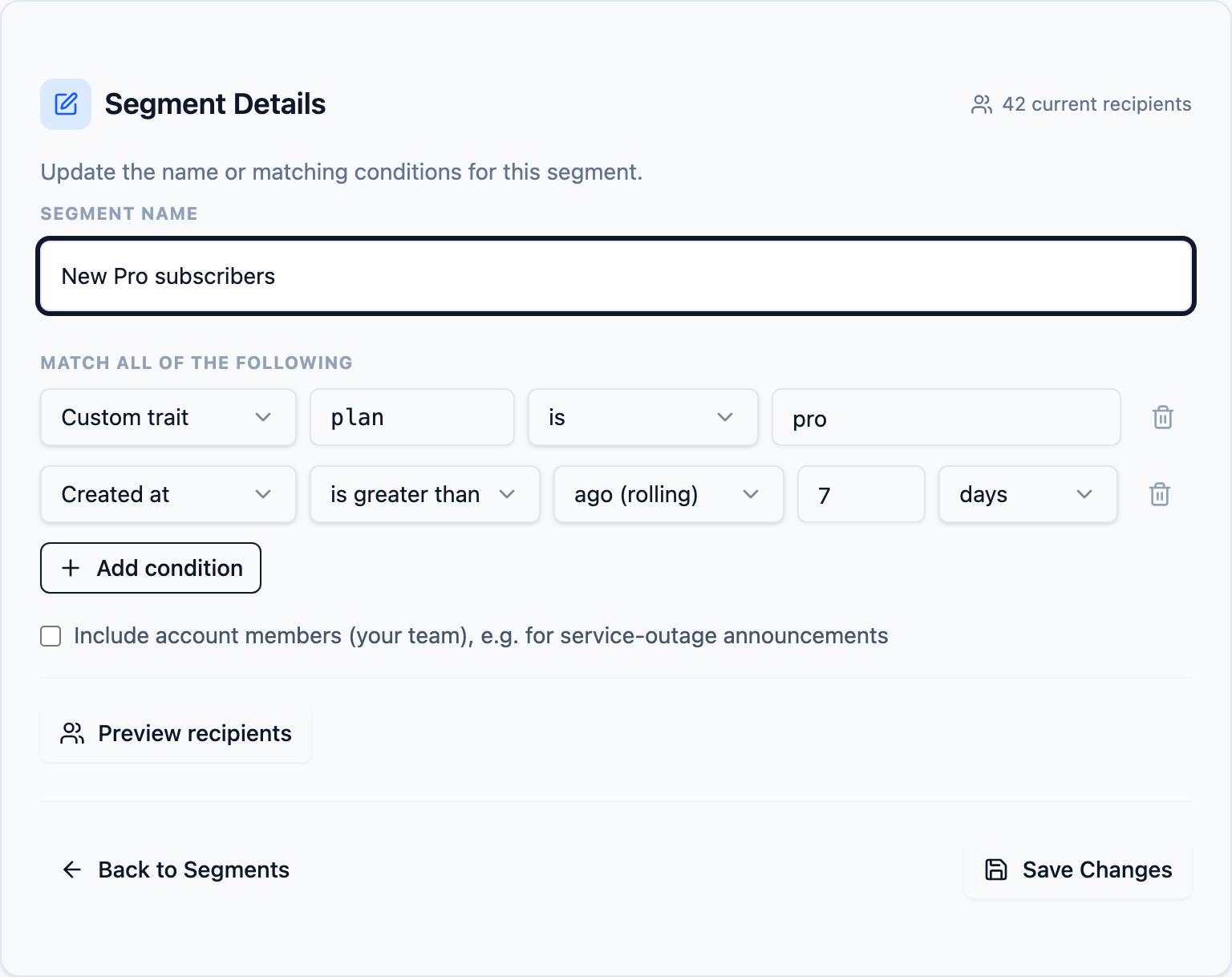
Preview before you save
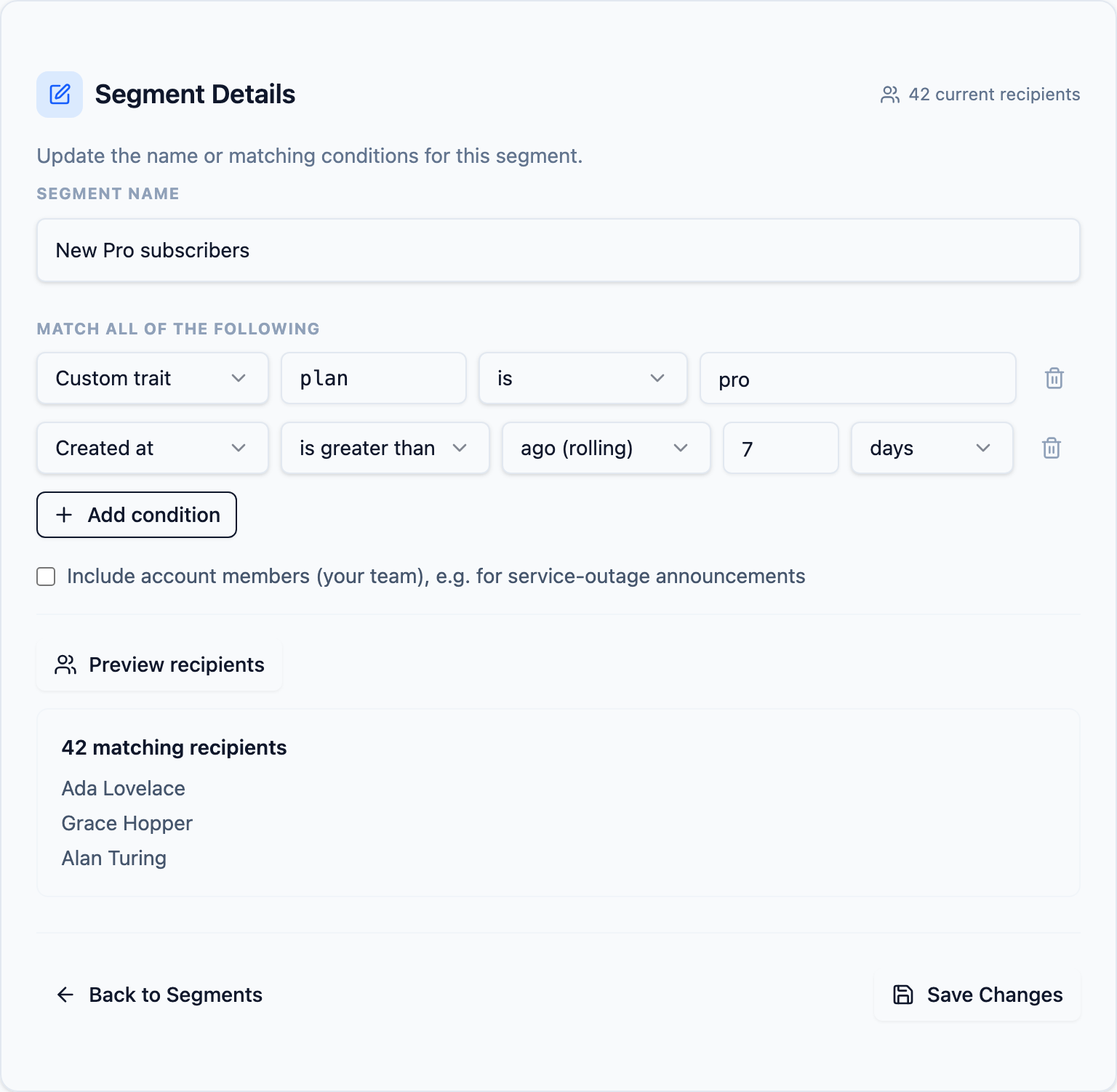
POST /api/v1/segments/preview counts and samples the recipients a rules payload would match without saving anything — it is what the rule builder calls as you edit conditions. Check the count before you broadcast; an accidental empty rule set matches everyone.
Broadcast to the segment
A broadcast sends one template to every recipient the segment matches. The create body is nested under a broadcast key, and the segment and template are addressed by name (or internal id). The response is 202 — resolution and delivery happen in the background, so poll GET /api/v1/broadcasts/:id until status leaves pending.
curl -X POST "https://relaygrid.dev/api/v1/broadcasts" \
  -H "Authorization: Bearer YOUR_API_KEY" \
  -H "Content-Type: application/json" \
  -d '{
    "broadcast": {
      "segment_name": "Recent pro signups",
      "message_template_name": "spring_sale",
      "scheduled_at": "2026-09-10T16:00:00Z",
      "message_attributes_attributes": [
        { "name": "discount", "value": "20%" }
      ]
    }
}'{
"broadcast": {
"id": 3,
"segment_id": 7,
"status": "pending",
"recipient_count": 4210,
"created_message_count": 0,
"scheduled_at": "2026-09-10T16:00:00Z",
"finished_at": null,
"created_at": "2026-09-03T09:12:44Z"
}
}broadcast = RelayGrid.client.broadcasts.create(
segment: 'Recent pro signups',
template: 'spring_sale',
attributes: { discount: '20%' },
scheduled_at: Time.utc(2026, 9, 10, 16)
)
# Poll until status leaves "pending"
RelayGrid.client.broadcasts.get(broadcast['id'])const broadcast = await relaygrid.broadcasts.create({
segment: "Recent pro signups",
template: "spring_sale",
attributes: { discount: "20%" },
scheduledAt: "2026-09-10T16:00:00Z",
});
// Poll until status leaves "pending"
await relaygrid.broadcasts.get(broadcast.id);Lifecycle. A broadcast starts as pending and ends finished, or limit_reached when your monthly plan quota ran out mid-fan-out. The fan-out works in batches and tracks a cursor, so a retried job resumes where it stopped instead of starting over. There is no broadcast-level cancel: a scheduled_at broadcast defers each fanned-out message individually, so undoing one means cancelling each message's schedule — see the Scheduled Deliveries guide. A scheduled broadcast needs both entitlements: User Segmentation and Scheduled Notifications.
Next Steps
Segments reference
Full parameter tables, the rules DSL field/operator matrix, and error shapes.
Segments APIBroadcasts reference
Create parameters, the serialized broadcast fields, and status codes.
Broadcasts API